

Download ABP Studio – IDE, web application development, ABP Framework, developer tool, productivity tool
Overview
ABP Studio is an integrated development environment (IDE) specifically engineered to support developers working with the ABP Framework. Designed to streamline the creation, management, and customization of modern web applications, the tool serves as a comprehensive solution for teams aiming to enhance their development workflows. Its primary purpose is to reduce manual effort in project setup, code generation, and configuration, enabling faster iteration and deployment cycles. The app targets professional web developers, software engineering teams, and organizations adopting the ABP Framework for building scalable enterprise-grade applications.
ABP Studio addresses common pain points in full-stack development, such as inconsistent project structures, time-consuming boilerplate coding, and fragmented collaboration. By offering built-in tools that align with the ABP Framework’s architecture, it ensures consistency across projects and reduces the risk of configuration errors. Real-world use cases include rapid prototyping, enterprise application development, and team-based software delivery with standardized templates and workflows. The tool plays a vital role in the developer ecosystem by bridging the gap between framework capabilities and practical implementation, making it an essential utility for teams committed to agile, efficient development practices.
The developer, ABP Framework, is recognized for its contributions to modern web development through the ABP Platform, which emphasizes modular architecture, clean code, and developer productivity. While specific details about the organization’s background were not provided, the tool’s alignment with the framework’s philosophy suggests a strong focus on long-term maintainability and scalability. ABP Studio is not a mobile application but a desktop-based tool, designed for use on Windows platforms.
Key Features & Functionality
- Integrated Code Generation: ABP Studio automates the creation of core application components such as entities, services, controllers, and user interfaces based on project requirements. This reduces the need for repetitive coding and ensures adherence to the ABP Framework’s best practices.
- Project Management Tools: The IDE provides a centralized interface for managing multiple projects, including configuration, dependency tracking, and deployment setup. This allows teams to maintain consistency across different environments and streamline release processes.
- Customization Framework: Developers can modify default templates, adjust application settings, and extend functionality without altering core framework files. This flexibility supports unique business logic and client-specific needs while preserving upgrade compatibility.
- Collaborative Development Support: Built-in tools facilitate version control integration and team-based workflows, enabling multiple developers to work on the same project simultaneously with synchronized changes and conflict resolution mechanisms.
- Seamless ABP Framework Integration: All features are tightly coupled with the ABP Framework, ensuring optimal performance, compatibility, and access to the latest framework enhancements without additional configuration overhead.
For example, a development team building a multi-tenant SaaS platform can use ABP Studio to generate tenant-specific modules, set up role-based access control, and manage database migrations through a unified interface. This not only accelerates initial development but also simplifies ongoing maintenance and scaling.
Interface, UX & Performance
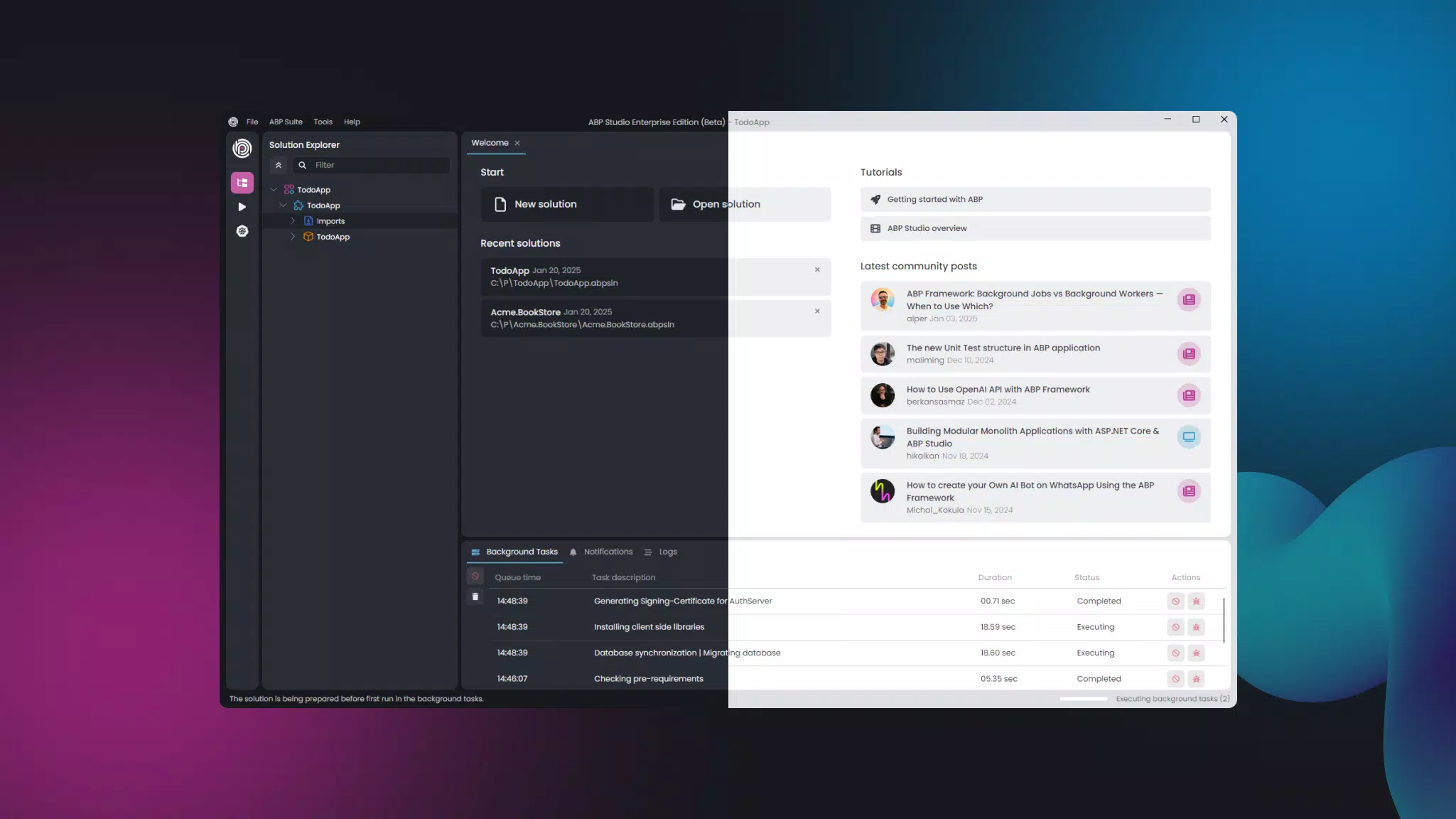
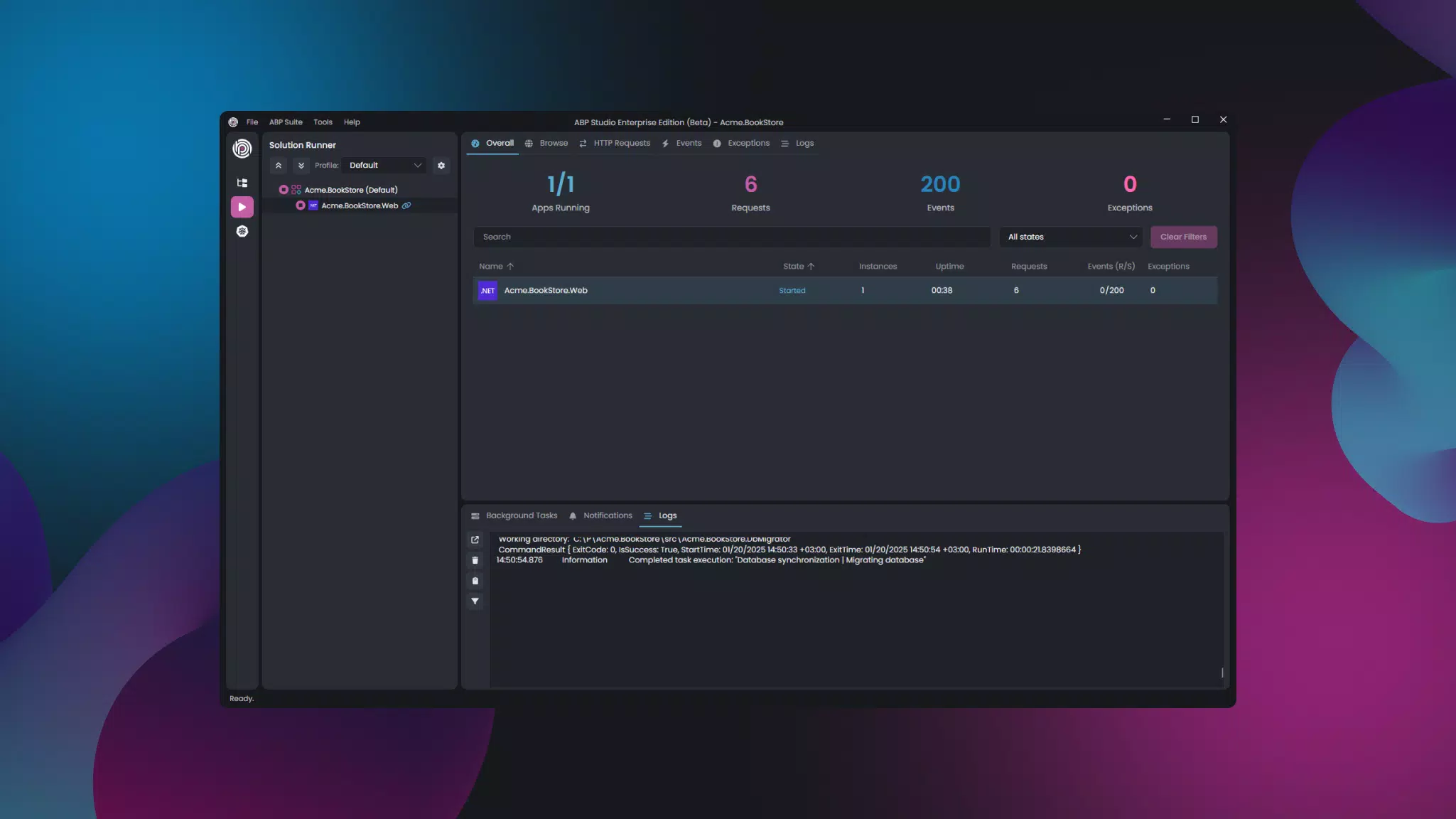
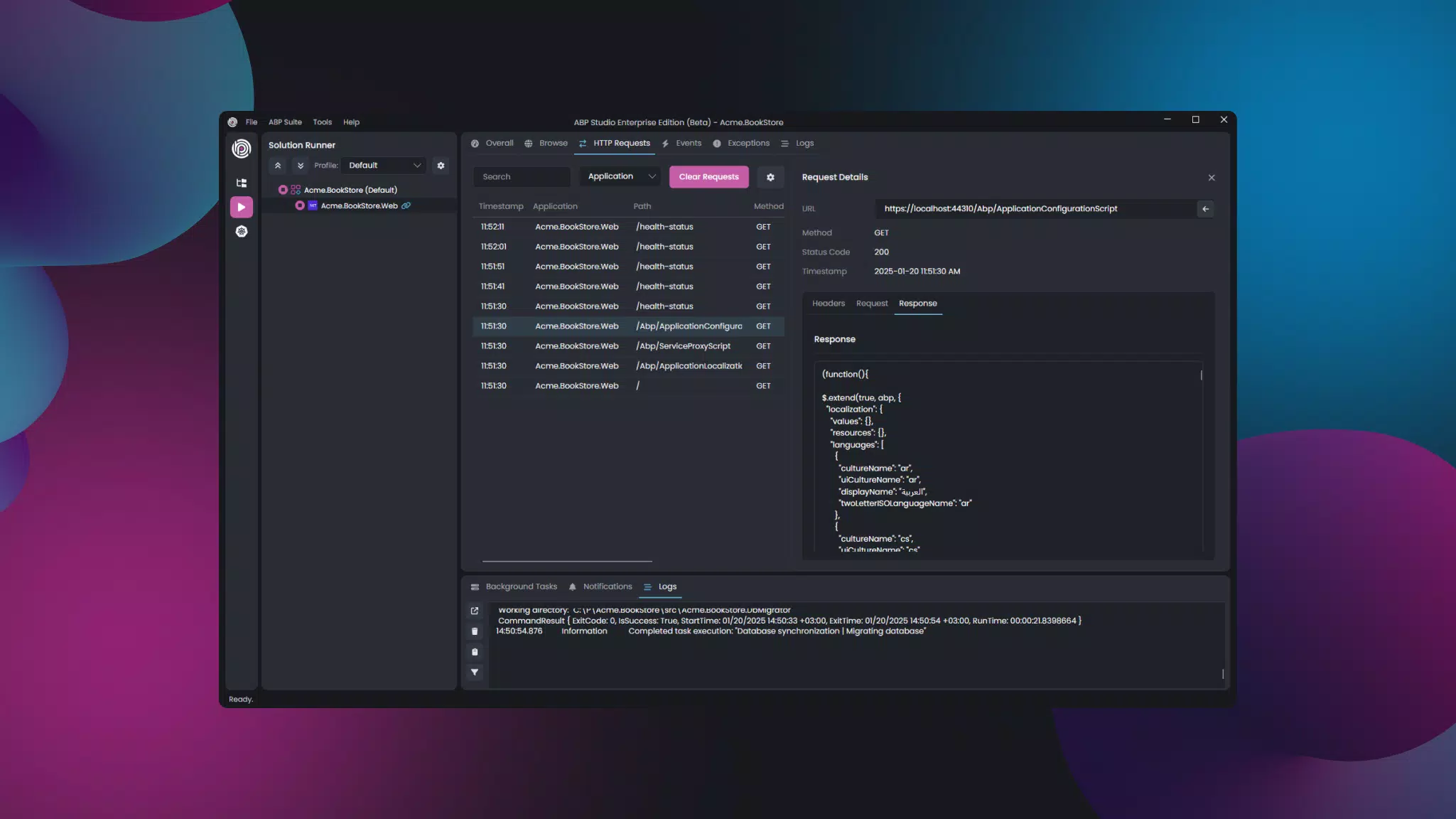
ABP Studio features a clean, modular interface optimized for developer productivity. The layout follows a traditional IDE structure with a sidebar for project navigation, a central workspace for code editing, and a status bar displaying real-time feedback. Visual elements are minimal and functional, reducing cognitive load and allowing developers to focus on coding. Navigation is intuitive, with context-aware menus and keyboard shortcuts that cater to both novice and experienced users.
The user experience emphasizes efficiency through streamlined workflows, such as one-click generation of application layers and immediate preview of generated code. Although the developer did not list formal performance metrics, the tool appears responsive across typical desktop environments, with minimal lag during project loading and code compilation. Stability is maintained through robust error handling and crash recovery mechanisms, ensuring that long development sessions are not disrupted by unexpected failures.
Performance may vary depending on system specifications, but the application is designed to operate efficiently even on mid-tier machines. Responsiveness is maintained during heavy operations like code generation and database synchronization. The tool does not exhibit noticeable delays in standard usage scenarios, suggesting effective resource management.
Platform Compatibility & Technical Requirements
ABP Studio is available exclusively for the Windows operating system. It requires a Windows-based machine to function, with no information provided about specific OS versions or hardware requirements. The application has a file size of 128 MB, indicating a lightweight footprint relative to other IDEs in the market.
The developer did not specify minimum OS requirements or processor architecture. Users should ensure their system supports Windows applications and has sufficient RAM and disk space for development tasks. Compatibility with Windows 10, 11, or later is likely, though this was not confirmed. The tool does not support macOS or Linux platforms at this time.
Pros and Cons
- Free to download and use, making it accessible for individual developers and small teams.
- Seamless integration with the ABP Framework ensures consistent and reliable development outcomes.
- Automated code generation significantly reduces setup time and human error.
- Supports team collaboration through version control and shared project management.
- Lightweight design with a 128 MB file size improves installation speed and storage efficiency.
- Currently limited to Windows, restricting use on macOS and Linux systems.
- No mobile or cross-platform version available for on-the-go development.
- Specific system requirements were not listed, which may pose challenges for users with older hardware.
- Not suitable for developers not using the ABP Framework, as its features are tightly coupled with the platform.
- Limited documentation and community support details were not provided.
FAQ
Is ABP Studio available for macOS or Linux?
As of now, ABP Studio is only available for Windows. There is no official support for macOS or Linux platforms.
Can I use ABP Studio without the ABP Framework?
ABP Studio is specifically designed to work with the ABP Framework. It does not support standalone development outside of this ecosystem.
Is ABP Studio free to download and use?
Yes, ABP Studio is completely free to download and use, with no hidden costs or subscription fees.
What is the file size of ABP Studio?
ABP Studio has a file size of 128 MB, making it a lightweight tool compared to other IDEs.
How often is ABP Studio updated?
The developer did not provide information on update frequency. Users should check the official website for the latest version and release notes.
Final Thoughts
ABP Studio stands out as a powerful, focused tool for developers deeply invested in the ABP Framework. Its ability to automate code generation, streamline project management, and support team collaboration makes it a valuable asset in modern web development workflows. While its Windows-only availability and framework-specific design limit broader appeal, it delivers exceptional value to teams prioritizing efficiency, consistency, and scalability.
For developers building enterprise applications using the ABP Framework, ABP Studio offers a significant productivity boost. Its lightweight nature, free access, and tight integration with the framework make it a compelling choice. Whether you're a solo developer or part of a growing team, this tool can accelerate your development lifecycle and reduce technical debt.
Download ABP Studio now


